ToastWidget
#include "toolkit/toast_widget.hpp"
A transient notification popup with a title, body text (plain or rich),
a close button, and an auto-dismiss timeout. Inherits Widget.
This can be used by your application to notify the user with some message, in a non blocking way. Toast widgets sit on the left/bottom side of your window, and are stacked on top, and have a timeout - after said timeout the toasts automatically closes.
Features:
- Plain text or rich text (markdown).
- Timeout in seconds.
- Different background per request.
- macOS
- Material
- Windows 11
- Windows 95
- Plasma 6
- GNOME
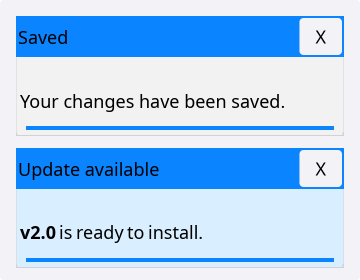
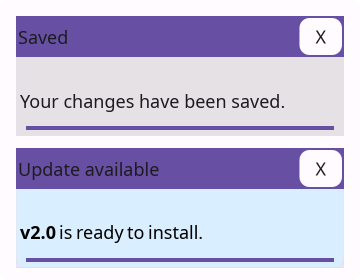
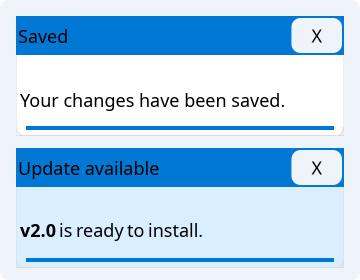
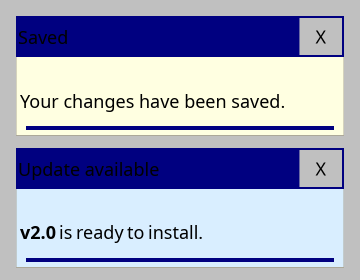
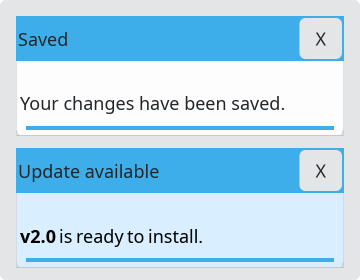
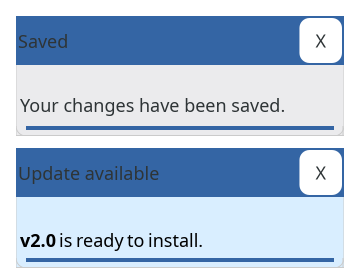
Example
auto toast = toolkit::ToastBuilder{}
                 .title("Saved")
                 .text("Your changes have been saved.")
                 .timeout(4.0f)
                 .build();
Construction
Build directly, or use the ToastBuilder fluent factory:
ToastWidget(std::string text, std::string title = "", std::string icon_path = "",
            float timeout = 10.0f, bool rich_text = false);
class ToastBuilder {
  public:
    ToastBuilder &text(std::string t);
    ToastBuilder &rich_text(std::string t);
    ToastBuilder &title(std::string t);
    ToastBuilder &background(Color c);
    ToastBuilder &timeout(float t);
    std::unique_ptr<ToastWidget> build() const;
};
API
| Member | Description |
|---|---|
set_on_close(std::function<void()>) | Callback fired when the toast is dismissed |
remaining_time() | Seconds left before auto-dismiss |
update_remaining_time(float delta) | Advance the countdown (call from your update/tick loop) |
is_expired() | Whether remaining_time() <= 0 |
expire() | Force immediate expiry |
set_background_override(Color) | Override the toast's background color |